Page 2 of 2
Re: PROBLEM. GEEETECH A10 gets blocked due to the retraction distance
Posted: Wed May 20, 2020 9:51 am
by William
Hi,you can try to adjust the details smaller than the nozzle diameter to be equal to or larger than the nozzle diameter when designing. If not, adjust the extrusion width to the size of the part extrusion width.
Re: PROBLEM. GEEETECH A10 gets blocked due to the retraction distance
Posted: Wed May 27, 2020 5:02 am
by Narolex
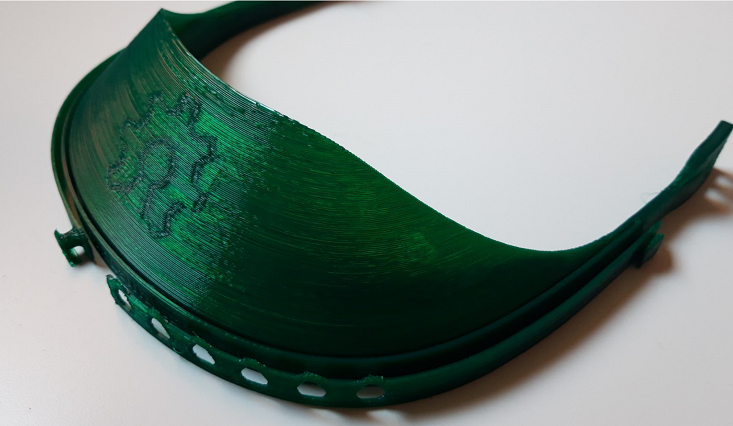
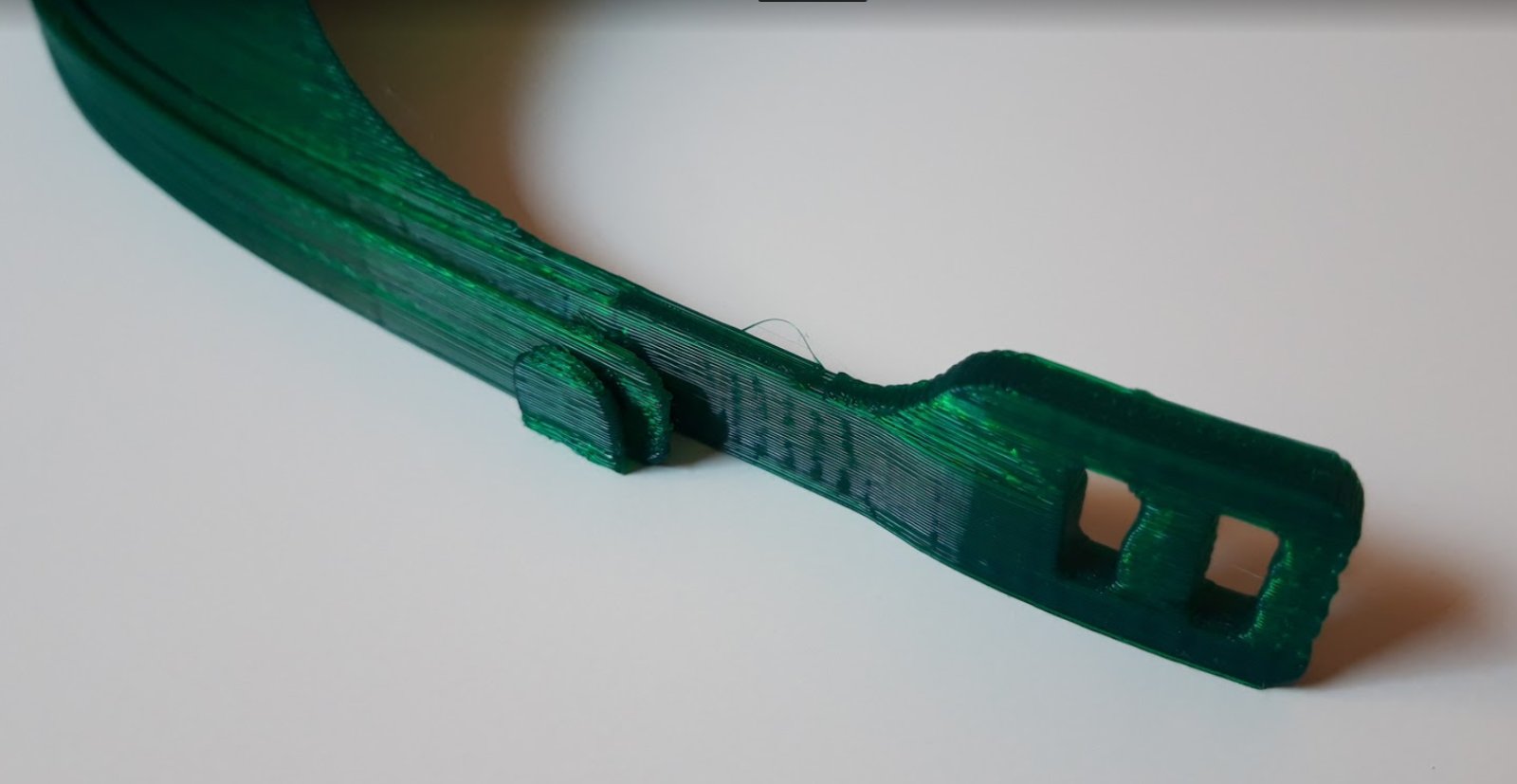
Test 9:
I changed the filament and I used the brand Smart Materials, Smartfil. The first piece it was very good with any problem but in the second I heard the blockade in the feeder gear.
The problem where I had parts without material had been solved with this new material. Thank you
- 9.1
- 9.1.png (472.63 KiB) Viewed 8699 times
- 9.2
- 9.2.jpg (74.94 KiB) Viewed 8699 times
Test 10:
Nozzle temperature: 215 ºC
Retraction distance: 4,6 mm
Retraction speed: 60 mm/s
Layer height: 0.28 mm
Print speed: 40 mm/s
Fr 85 %
Pieces: another face shield and one retractable push button.
Due to the problem in the test 9 I decided to do the following before test 10:
Change slicer program Cura 4.5 to Prusa Slicer
Disassemble and clean the nozzle and connect back to front the PTFE tube.
After that I started the test 10 and I noticed the following:
- 10.1
- 10.1.png (589.22 KiB) Viewed 8699 times
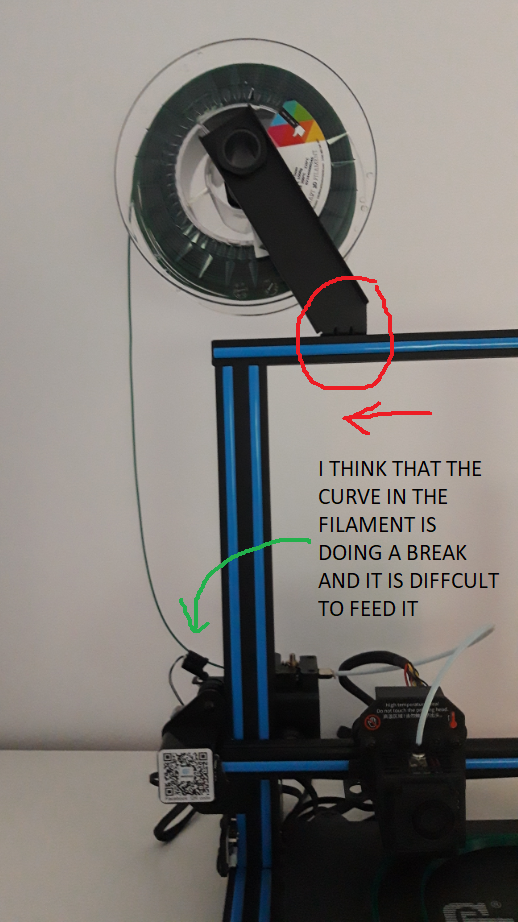
I had the support of the filament wire a little right and I moved to the left becuase I think that the filament curve is doing a break.
- 10.2
- 10.2.png (619.33 KiB) Viewed 8699 times
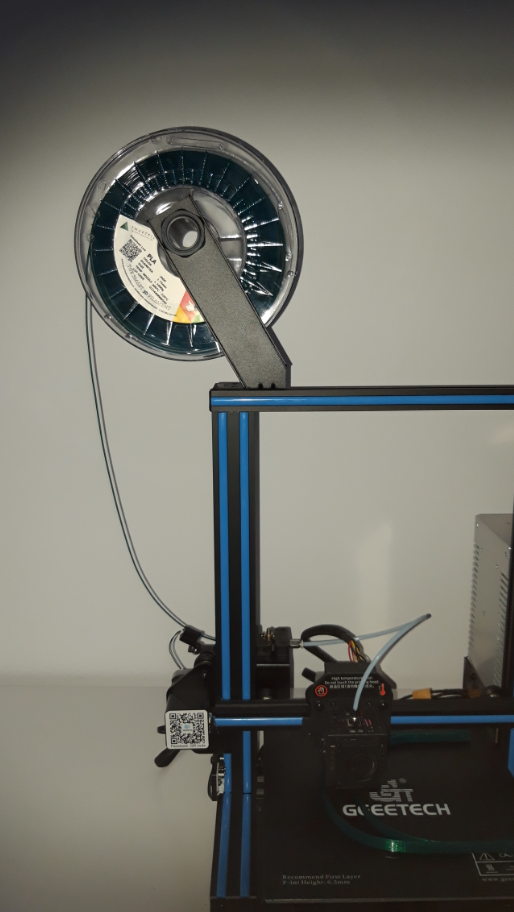
But I still had a blockade and I unwinded manually the filament and I had not a blockade. In the following image you can see the filament not tight.
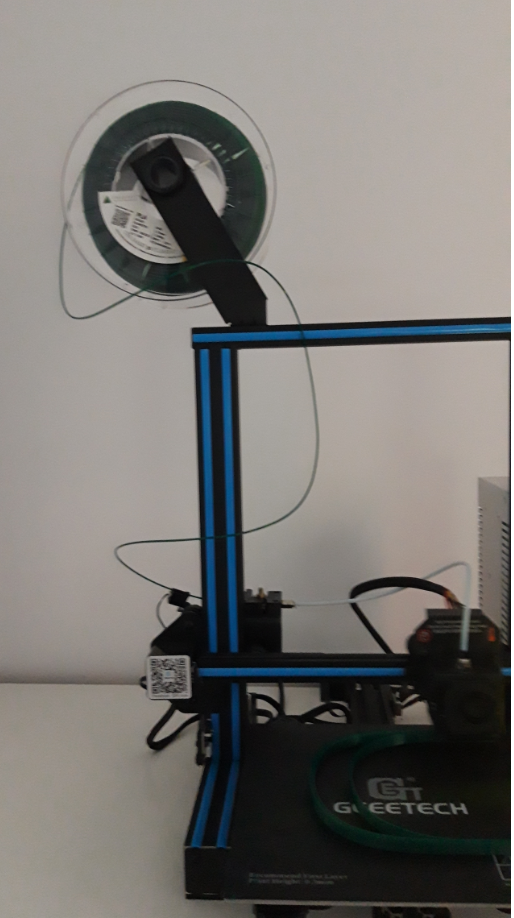
- 10.3
- 10.3.png (702.56 KiB) Viewed 8699 times
Finally I decided to move the reel to the left side as you can see in the following image (in this position I have no problem)
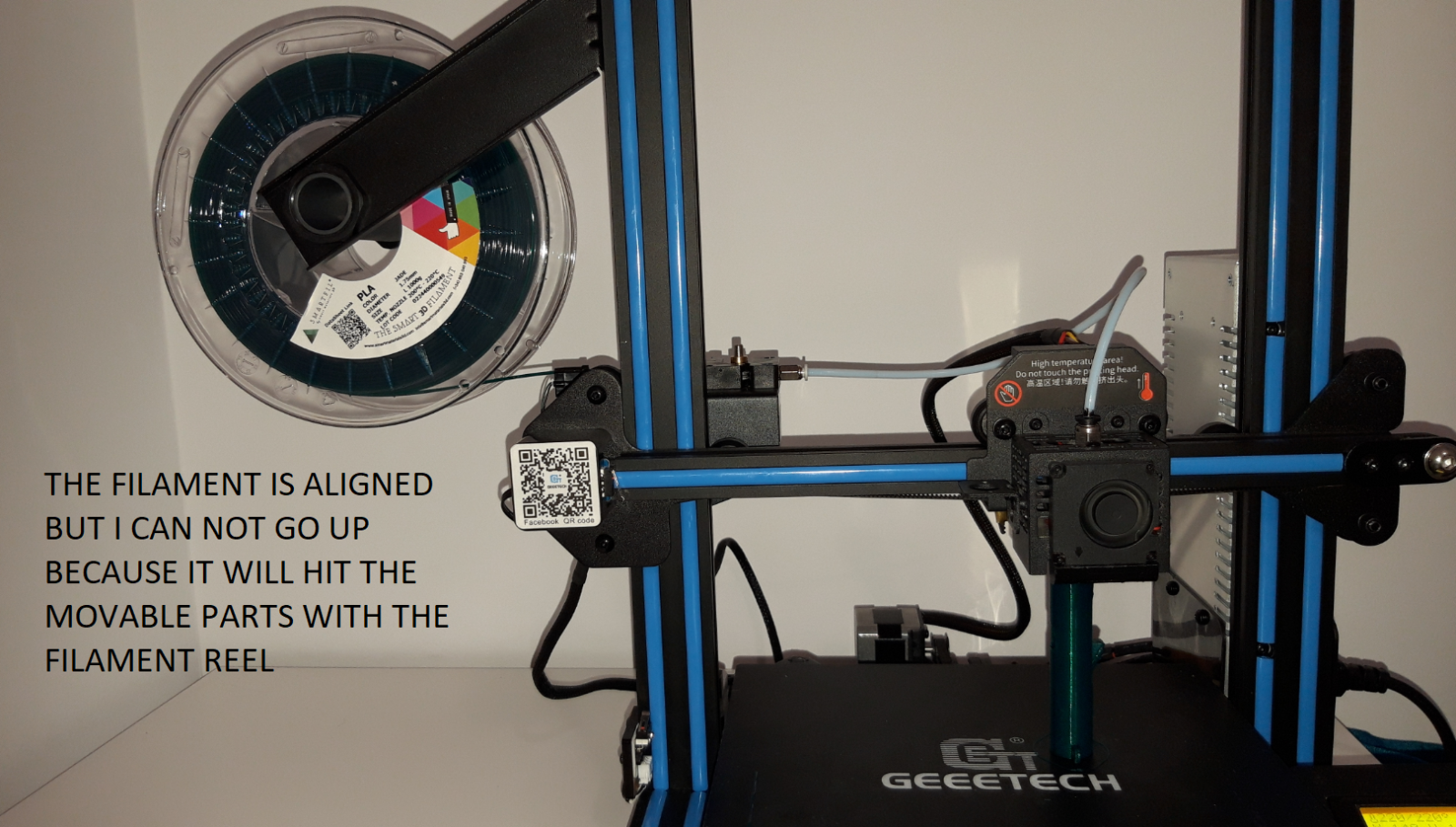
- 10.4
- 10.4.png (2.11 MiB) Viewed 8699 times
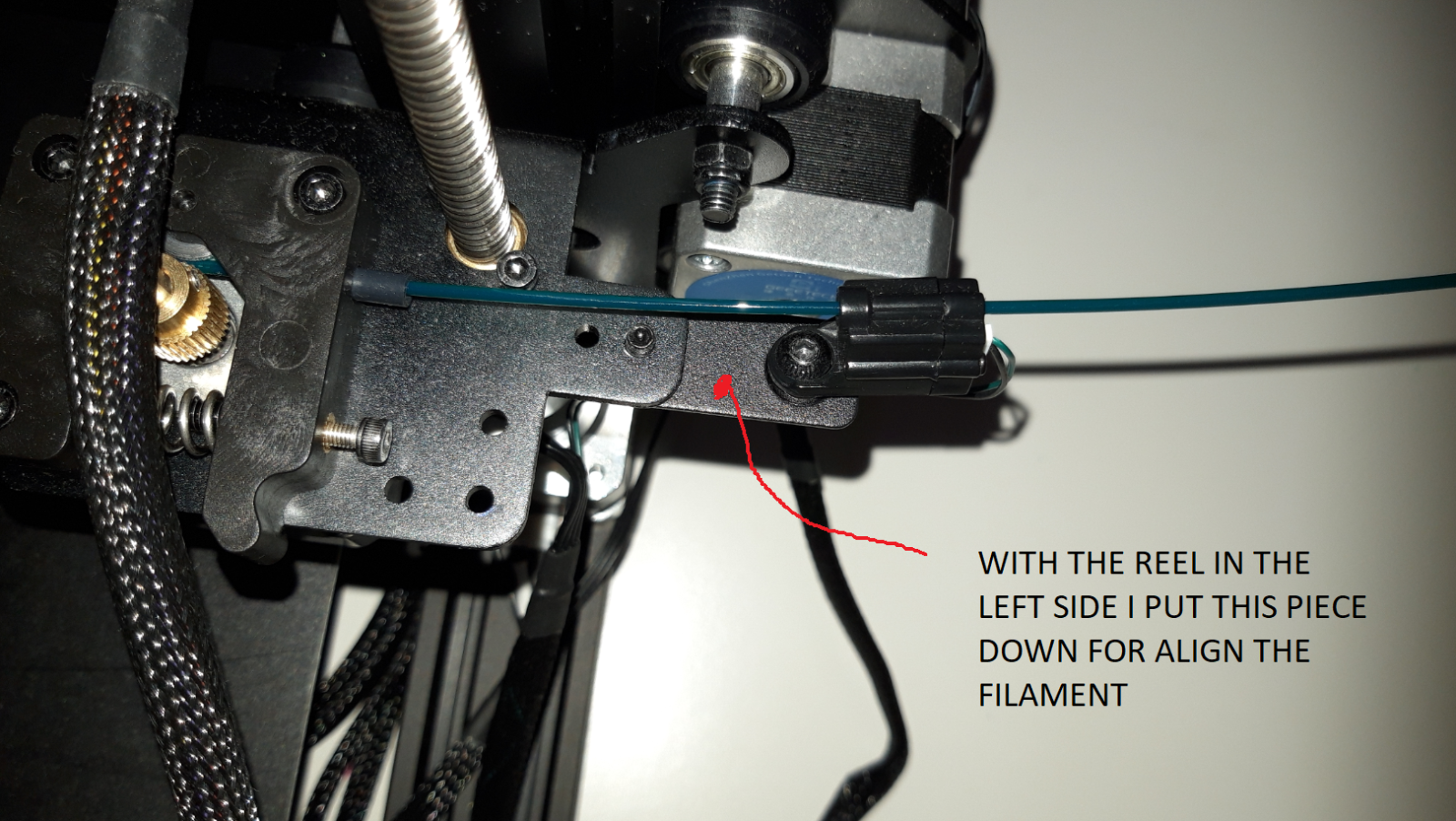
- 10.5
- 10.5.png (2.11 MiB) Viewed 8699 times
With the reel in this position I have less blockades but sometimes yes. With the reel in this position I can not do tall pieces, I think that the feeder gear is pushing very fast and can not move the reel quickly.
What do you recommed to solve this problem? If you prefere I can start new test with your print parameters
Re: PROBLEM. GEEETECH A10 gets blocked due to the retraction distance
Posted: Wed May 27, 2020 5:24 am
by Narolex
Doc wrote: Tue May 19, 2020 1:52 pm
Hi,
I've had a lot of similar (but different issues) and have wasted many hours changing hardware and settings. The problem is almost always the filament, so have you tried a different brand?
Doc.
Thank you, it has improved a lot but I have yet a blockade sometimes as you can see in my last answer.
I use now brand Smart Materials, Smartfil PLA 1.75. I have changed the position of the reel
Re: PROBLEM. GEEETECH A10 gets blocked due to the retraction distance
Posted: Wed May 27, 2020 10:27 am
by William
Hi,it is recommended to try without the consumables detector,
you can turn off the consumables detection function in the control options on the screen.
Re: PROBLEM. GEEETECH A10 gets blocked due to the retraction distance
Posted: Thu Jun 04, 2020 1:10 am
by Narolex
I did the test without the consumable detector but I have still a blockade.

Test 11 :
Print speed: 40 mm/s
Travel speed: 120 mm/s
First layer speed: 20 mm /s
Retraction distance: 4.6 mm
Retraction speed: 60 mm/s
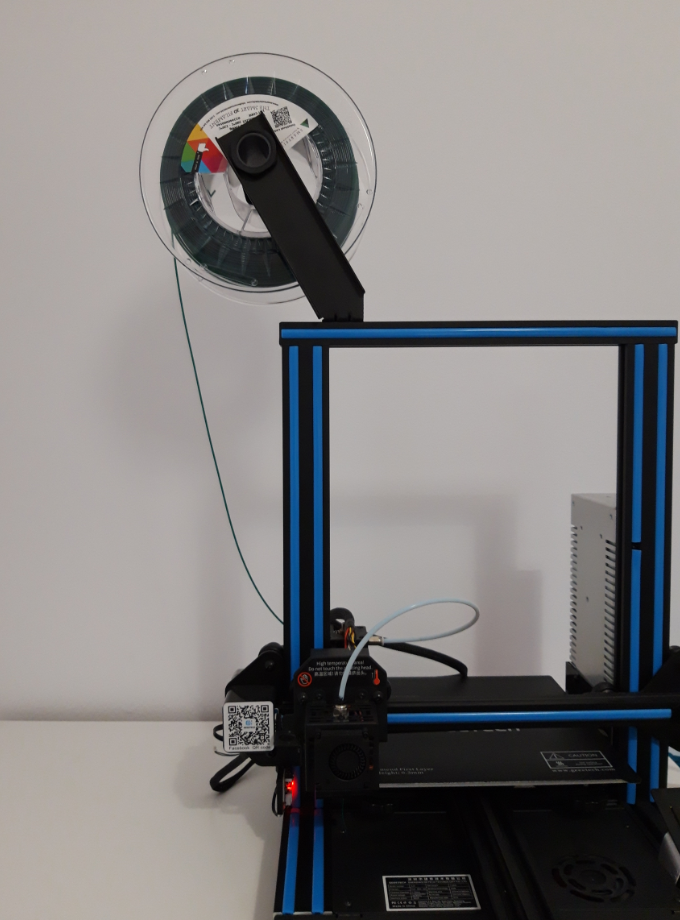
- Test 11
- test11.png (818.96 KiB) Viewed 8567 times
As you mentioned I disassembled the filament detector. I have a blockade as you can see in the following video:
https://www.youtube.com/watch?v=_ybFMvOutCo
But if I unwind some turns and I help with my fingers I have no problem. Is the extruder not working well?
What do you recommend ? Thank you
Re: PROBLEM. GEEETECH A10 gets blocked due to the retraction distance
Posted: Thu Jun 04, 2020 9:40 am
by William
It seems that the motor of the extruder is not working properly, you can check the connection, if there is no problem with the connection, you can increase the driving voltage appropriately.
If there is still a problem, the extruder motor wire and the X-axis motor wire can be exchanged.
If the motor of the extruder can move, there is a problem with the motor wire.
Similarly, you can also swap the driver and interface on the motherboard to see if there is a problem with the driver or the motherboard interface, and then replace it accordingly.
Re: PROBLEM. GEEETECH A10 gets blocked due to the retraction distance
Posted: Tue Jun 09, 2020 4:58 am
by Narolex
Thank you,
What is the recommended voltage value for the extruder motor? And the maximum value? Can you recommend any guide to make this adjustment?
Thank you again
Re: PROBLEM. GEEETECH A10 gets blocked due to the retraction distance
Posted: Tue Jun 09, 2020 10:06 am
by William
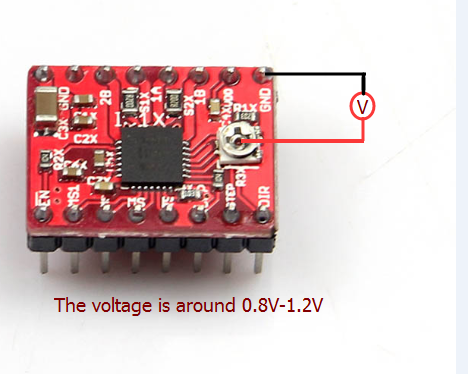
If your driver is A4988, 0.8~1.2 is recommended.
- QQ图片20150914174428.png (132.58 KiB) Viewed 8496 times
Re: PROBLEM. GEEETECH A10 gets blocked due to the retraction distance
Posted: Sat Jun 27, 2020 5:10 am
by Narolex
- 1r.jpg (321.34 KiB) Viewed 8250 times
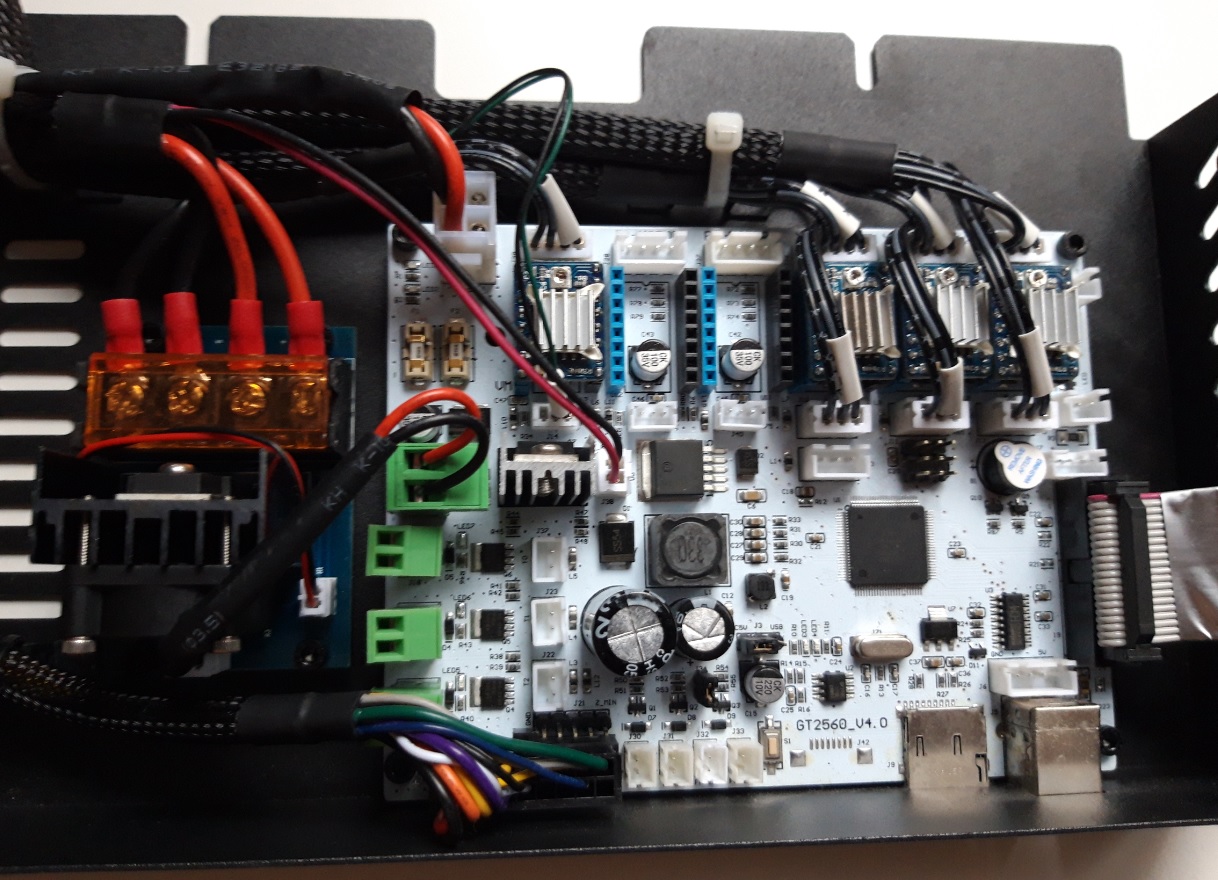
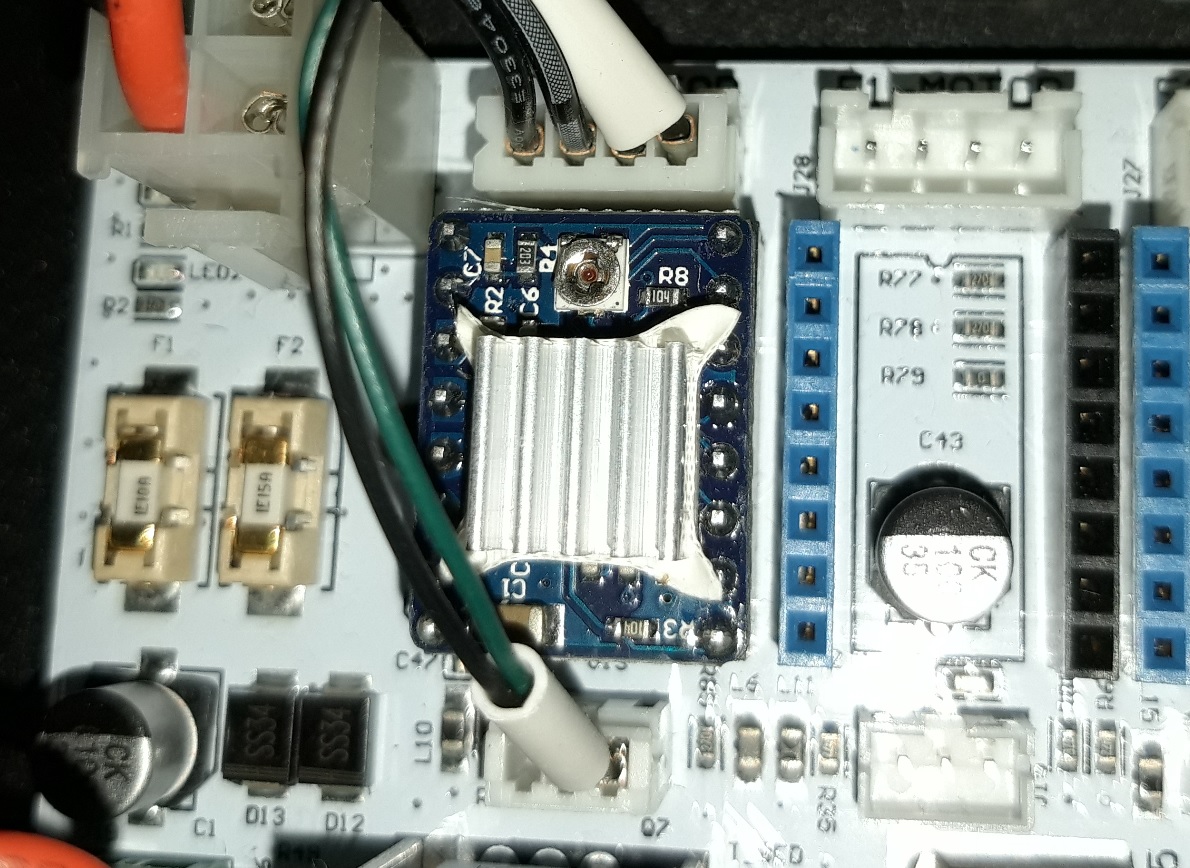
I have this driver
- 2r.jpg (353.44 KiB) Viewed 8250 times
1. What is the name of the driver?
2. What voltage range is recommended?
3.Do you know where is ground here?

Thank you
Re: PROBLEM. GEEETECH A10 gets blocked due to the retraction distance
Posted: Sat Sep 12, 2020 7:06 pm
by Narolex
William wrote: Tue Jun 09, 2020 10:06 am
If your driver is A4988, 0.8~1.2 is recommended.QQ图片20150914174428.png
I have 1,22 V in extruder motor, how much can I increase?